TIVRA 3.3.4 is here — the category list on the left, a new-look Guide, guide refreshes that are faster and never freeze the box, Sync and Guide buttons per provider, Jellyfin and Emby resume that follows you, and Multi-View that picks games by sport.Play Store too. Read the Sports Hub guide.
Sharp · Fast · Live

Live TV. Your movies. One player on the big screen.

Your IPTV providers — M3U or Xtream Codes, several at once — and your own movie & show library from Jellyfin, Emby, or your NAS, together in one place built for Android TV.

v3.3.4 · October 4, 2026 · Android 7.0+ · Phones, tablets & Android TV

Upgrading from 3.0 or earlier? TIVRA (3.1 and newer) installs as a new app (our permanent app identity, shared with the Play Store version). One-time step: 1. Uninstall your current TIVRA  2. Install the latest version above  3. Sign in and let sync run — your providers, favourites and settings come back automatically. Future updates install in place again. Recordings on USB or network storage are untouched.
Downloader code: 3059562 Trouble downloading? Use the backup download link Need the previous release? Download v3.3.3
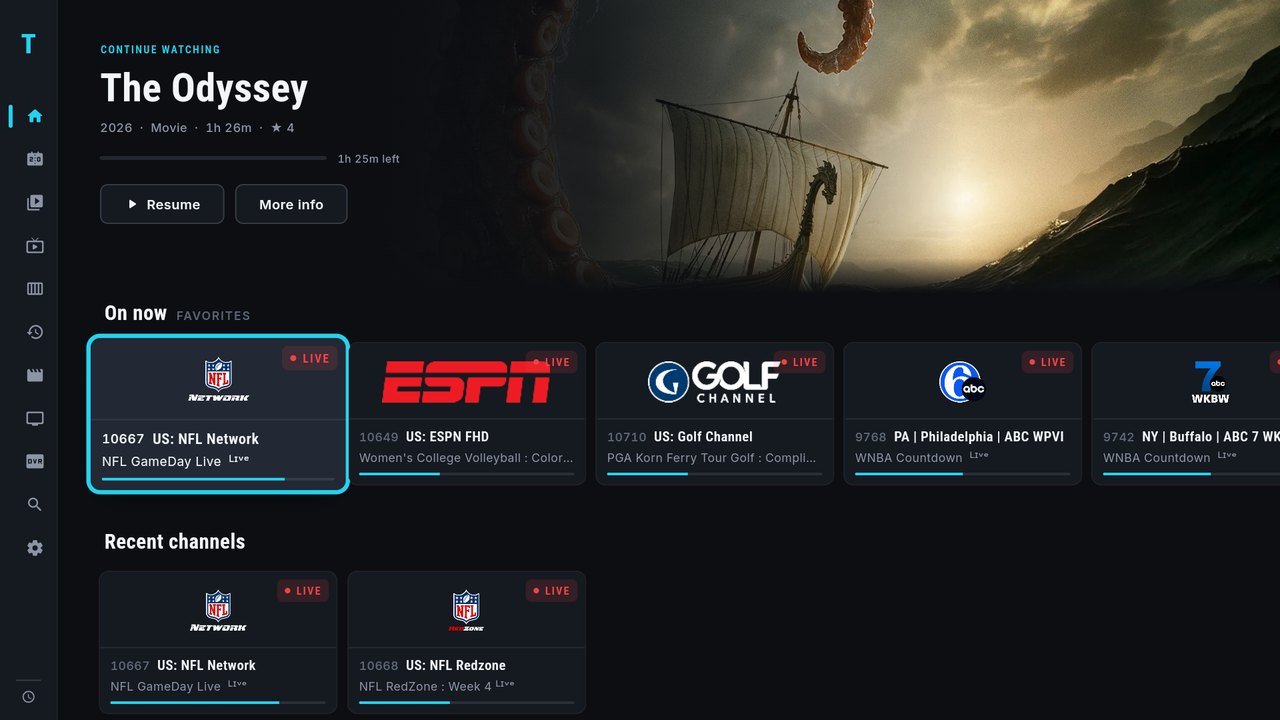
TIVRA home screen on a TV — Continue Watching hero with live favorite channels and recent channels below

The real app, on a real TV — tap any screen on this page to enlarge it.
What TIVRA does

What you get

72 leagues across 13 sports — NFL · NBA · MLB · NHL · college · MLS · Premier League · cricket · rugby · golf · F1 & more

Sports Hub

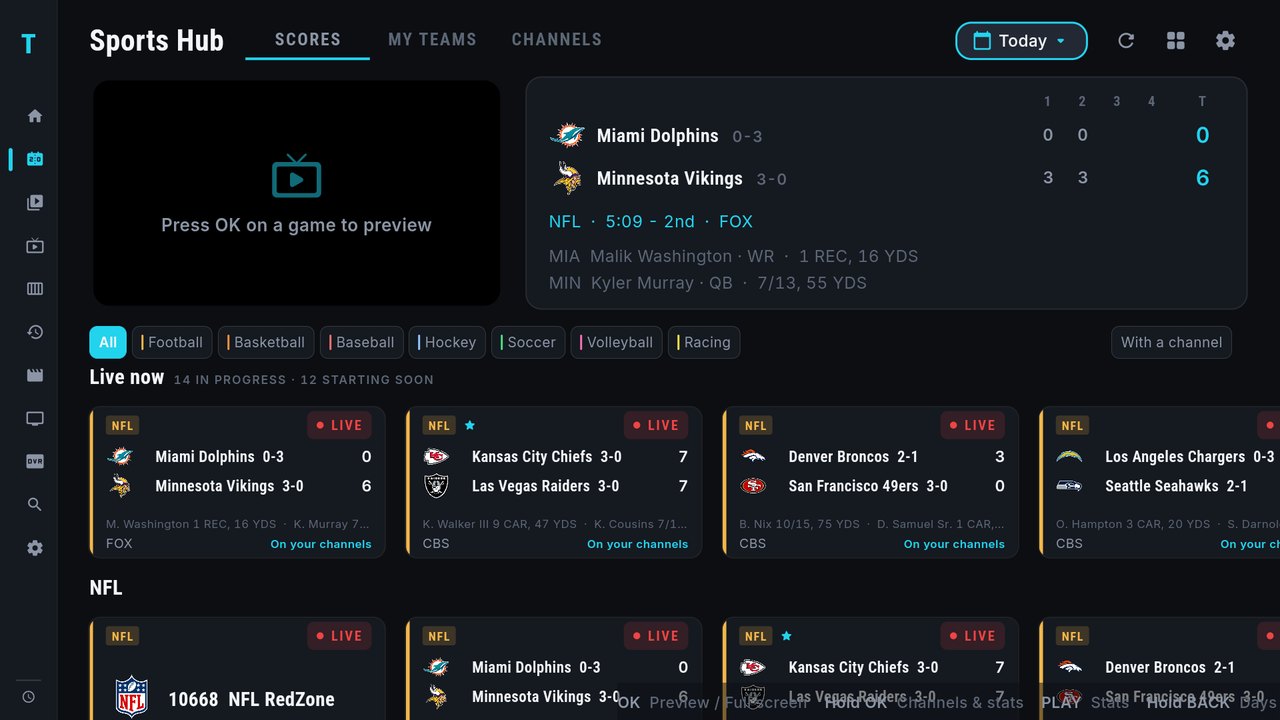
Every game of the day in one place — live scores, schedules, standings, box scores and player stats — and each one matched to the channels you already have. Press OK to preview a game in the corner, again for full screen, and come back with the stream still playing. Hide scores until you're ready, pick your leagues, order them your way.

TIVRA Sports Hub — live preview beside a one-table box score, sport filters, and rows of NFL, WNBA, MLB and NWSL games matched to the user's channels
Jellyfin · Emby · NAS (SMB)

Your Media Library

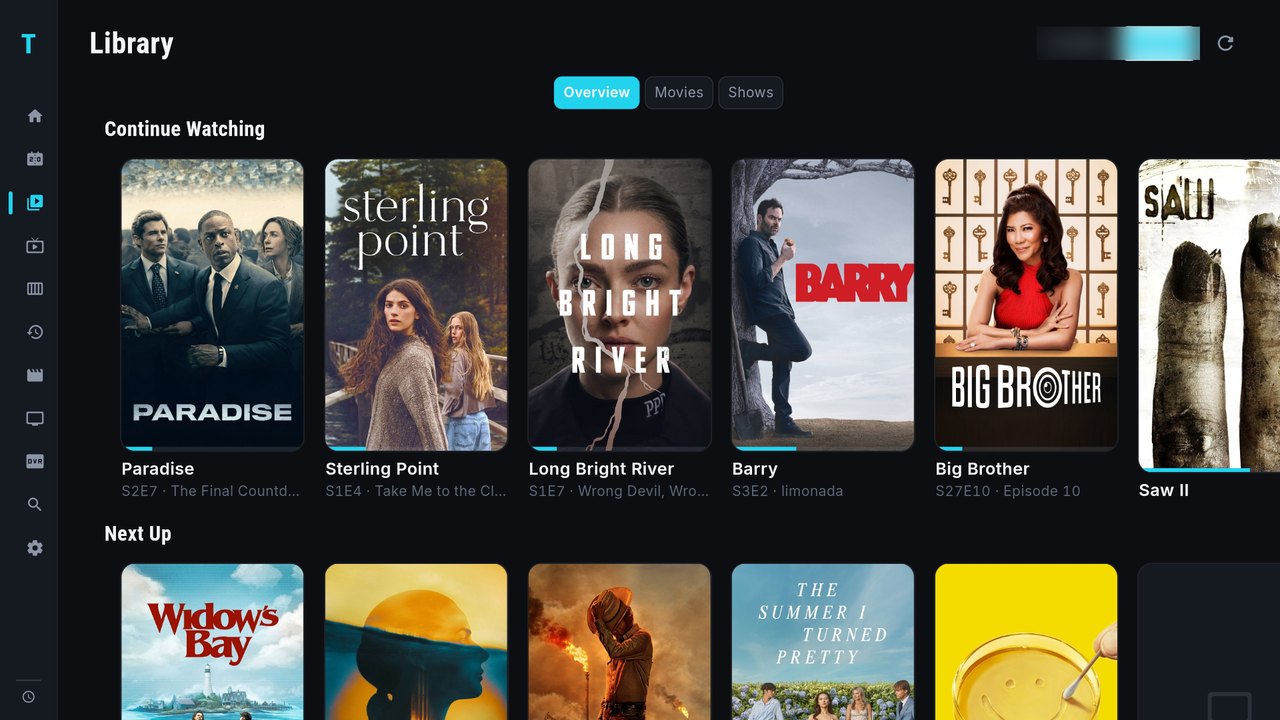
Your own movies and shows next to your live TV. Connect a Jellyfin or Emby server, or point TIVRA straight at your NAS — full posters and artwork, Continue Watching and Next Up, resume across devices, and remote “play on TV” from the dashboard.

TIVRA Library — Jellyfin continue-watching and next-up rows with full poster artwork, alongside NAS and Jellyfin source tabs
2 / 4 / 6 / 8 screens

Multi-View

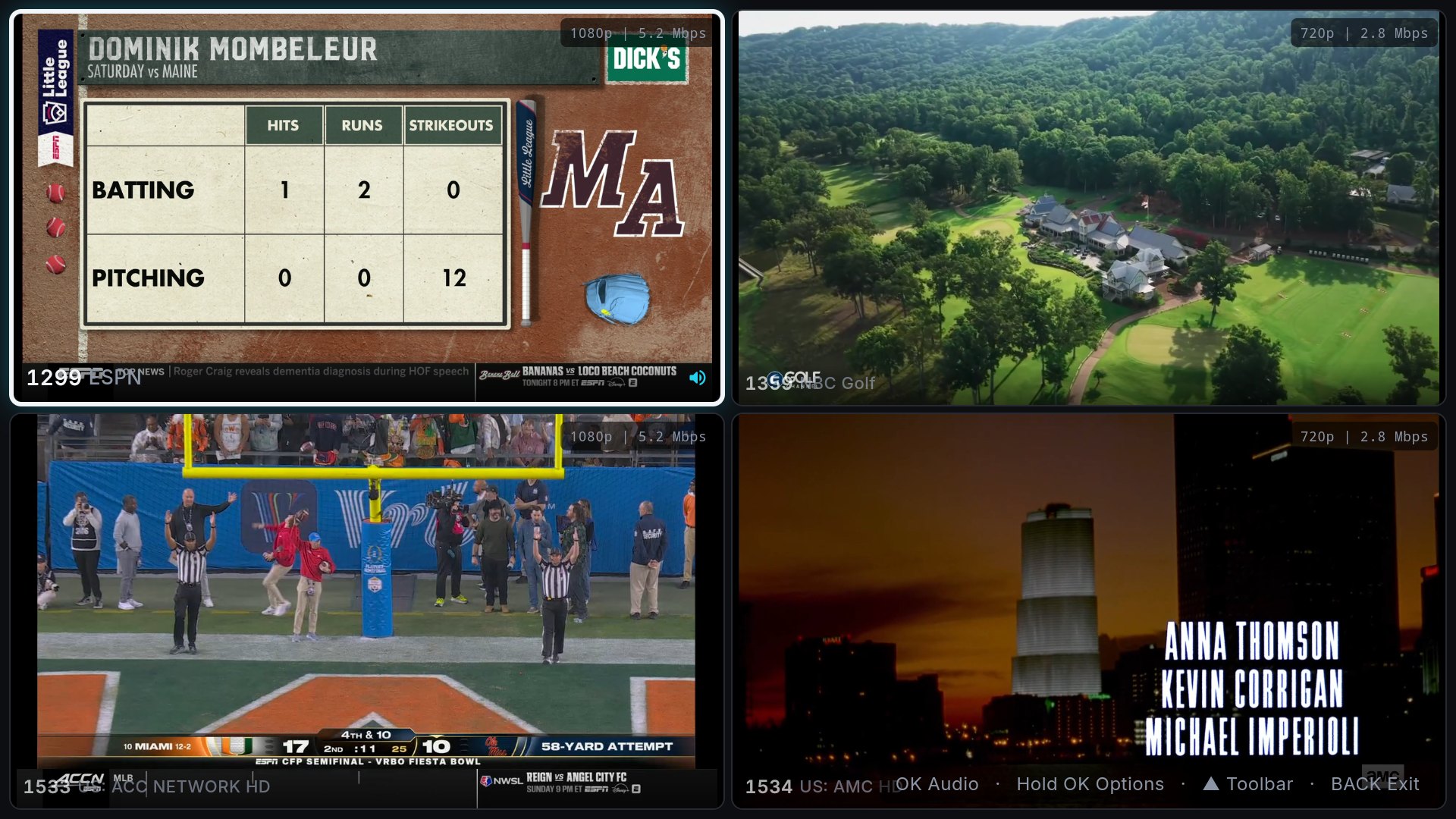
Watch up to eight live channels at once. Pick each screen by category or favorites — even from different providers, each using its own connection allowance — move the sound between screens, and zoom any screen to full size.

TIVRA Multi-View — four live channels playing at once in a 2x2 grid: baseball, golf, college football, and a movie

The full toolkit

Sports Hub

  • Live scores & schedules
  • 14 leagues, your order
  • Games matched to your channels
  • Standings, box scores & stats
  • Preview → full screen
  • Spoiler-safe mode

Live TV

  • Full EPG guide
  • Pause & rewind live
  • Catch-Up TV
  • Favorites & quick tune
  • Channel manager

Movies & Shows

  • VOD & series browser
  • One tile per movie
  • Country & language filters
  • Popularity sorting
  • Resume & Continue Watching
  • Trakt sync

Recording

  • Record now
  • Scheduled recordings
  • Internal, USB, or NAS
  • Recordings library

Control & Sync

  • Multiple providers
  • Custom categories
  • Web dashboard
  • Cloud sync
  • Audio & subtitle tracks
  • Built for TV
Straight off the TV

See it in action

Every screen below is a real capture from the current build running on an Android TV box. Scroll through, tap to enlarge.

Sports Hub with a live preview pane, a one-table box score, sport filters and rows of games per league
Sports Hub Scores, standings and box scores — matched to your channels New
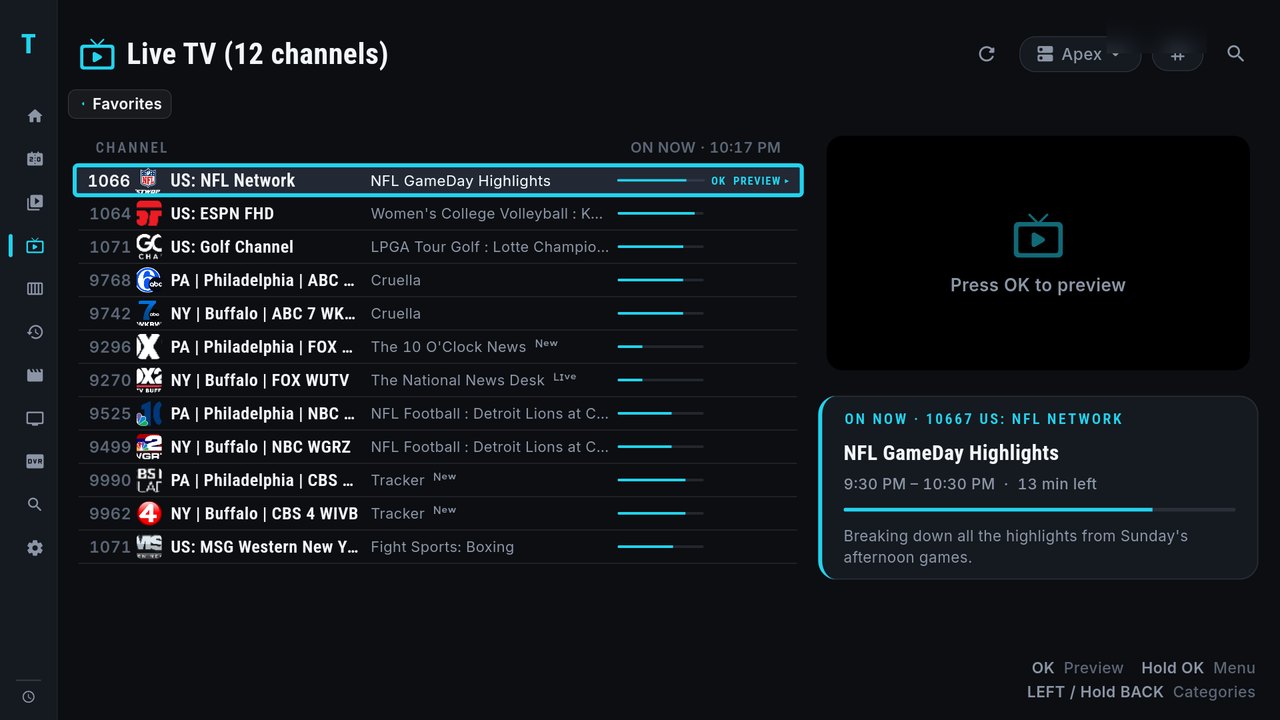
Live TV channel ledger with a channel focused, the on-now programme and a preview pane on the right
Live TV Channel ledger with instant preview and on-now info
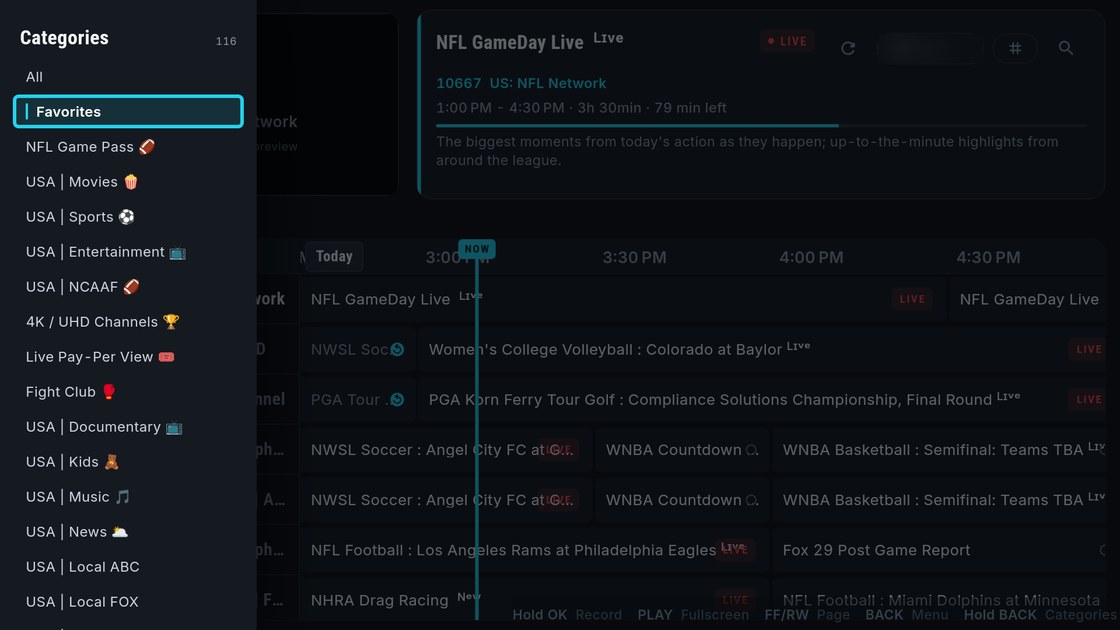
The category list open along the left edge of the Guide, with OK to pick and hold OK to move or hide a category
Categories Press LEFT or hold BACK — your categories slide in from the left New
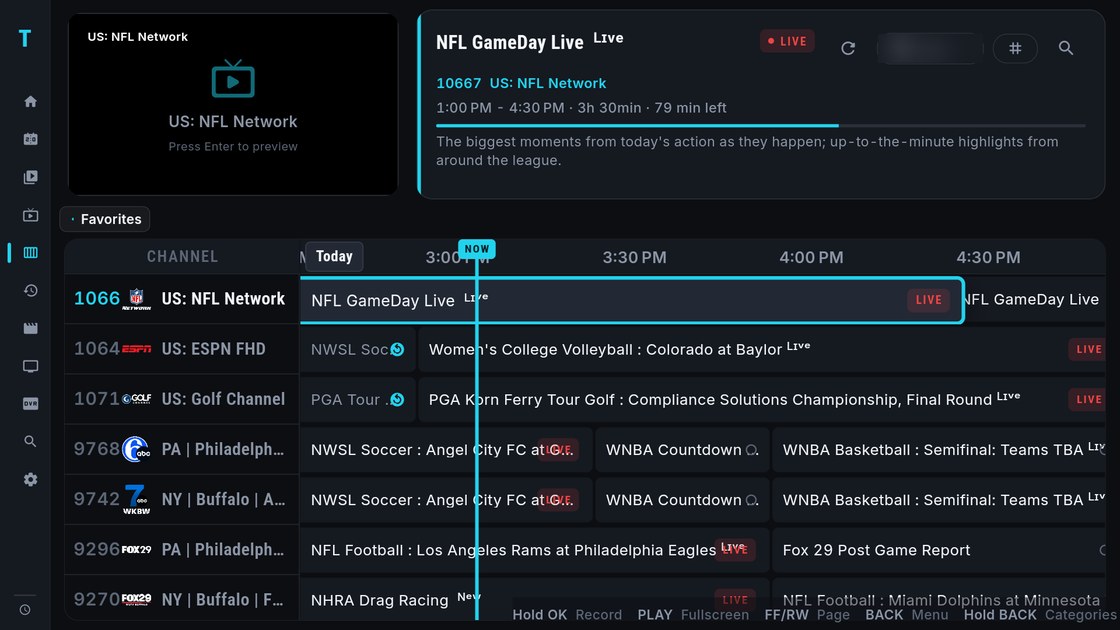
TV guide with the preview and info panel on top and a seven-channel grid with the NOW line below
TV Guide New look — preview and info on top, seven rows below New
Multi-View playing four live channels in a grid
Multi-View Up to eight live screens at once Live
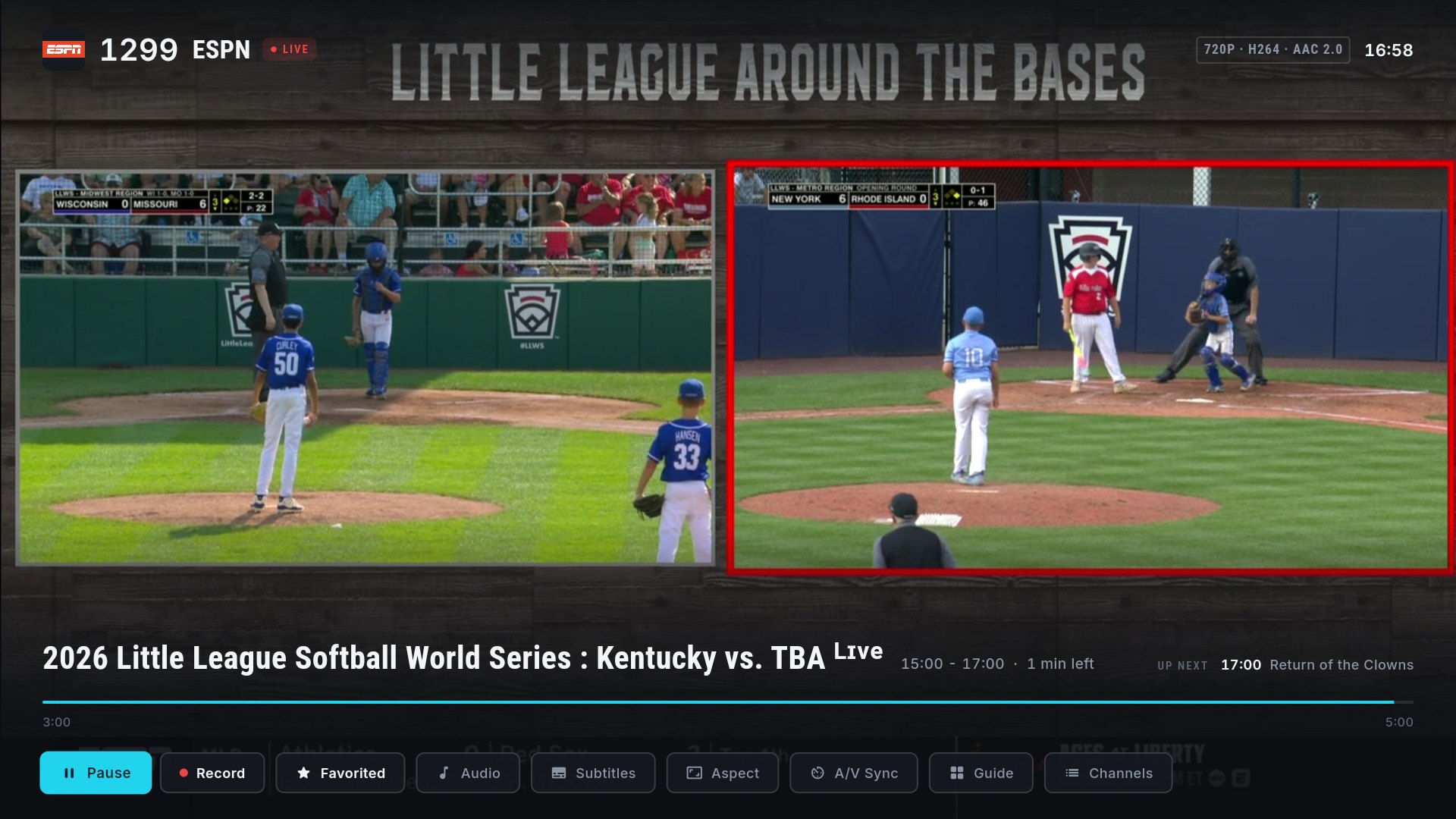
Live playback with the player controls open — pause, record, favorite, audio, subtitles, guide
Player Pause & rewind live, record, subtitles — one press away
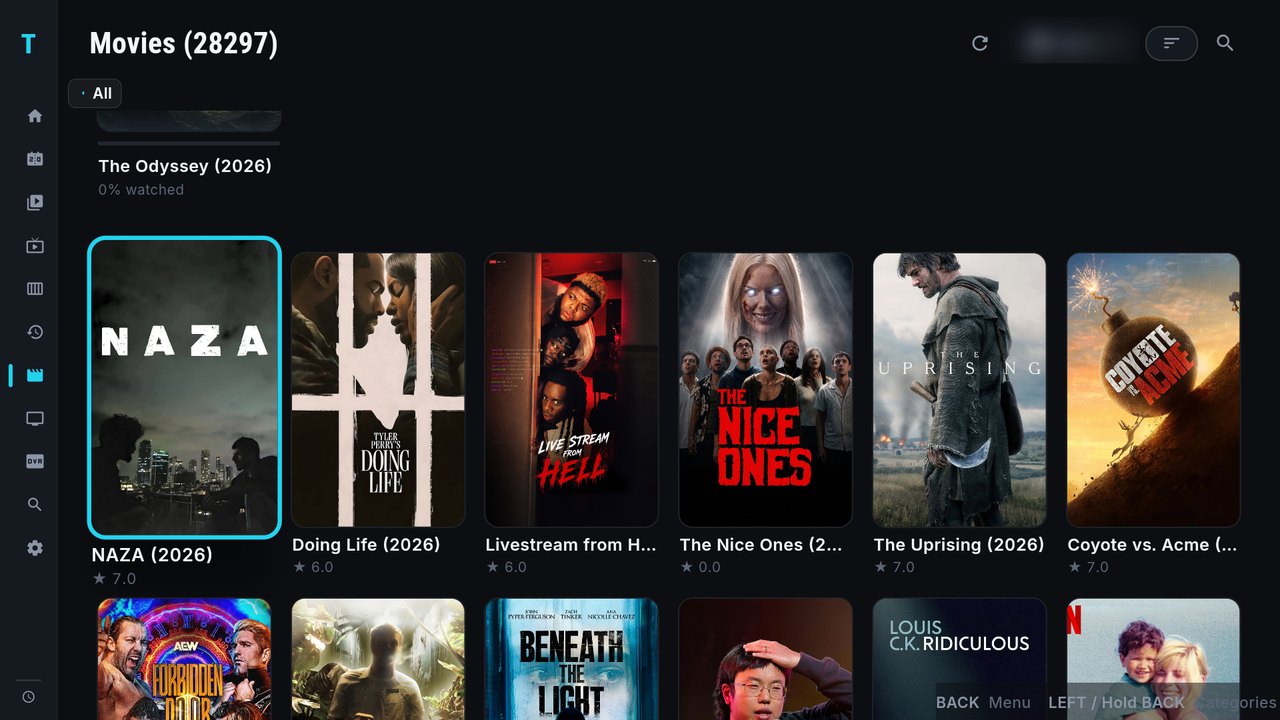
Movies grid with poster artwork, continue watching, and the category list a LEFT press away
Movies Your provider's catalog with artwork and genre filters
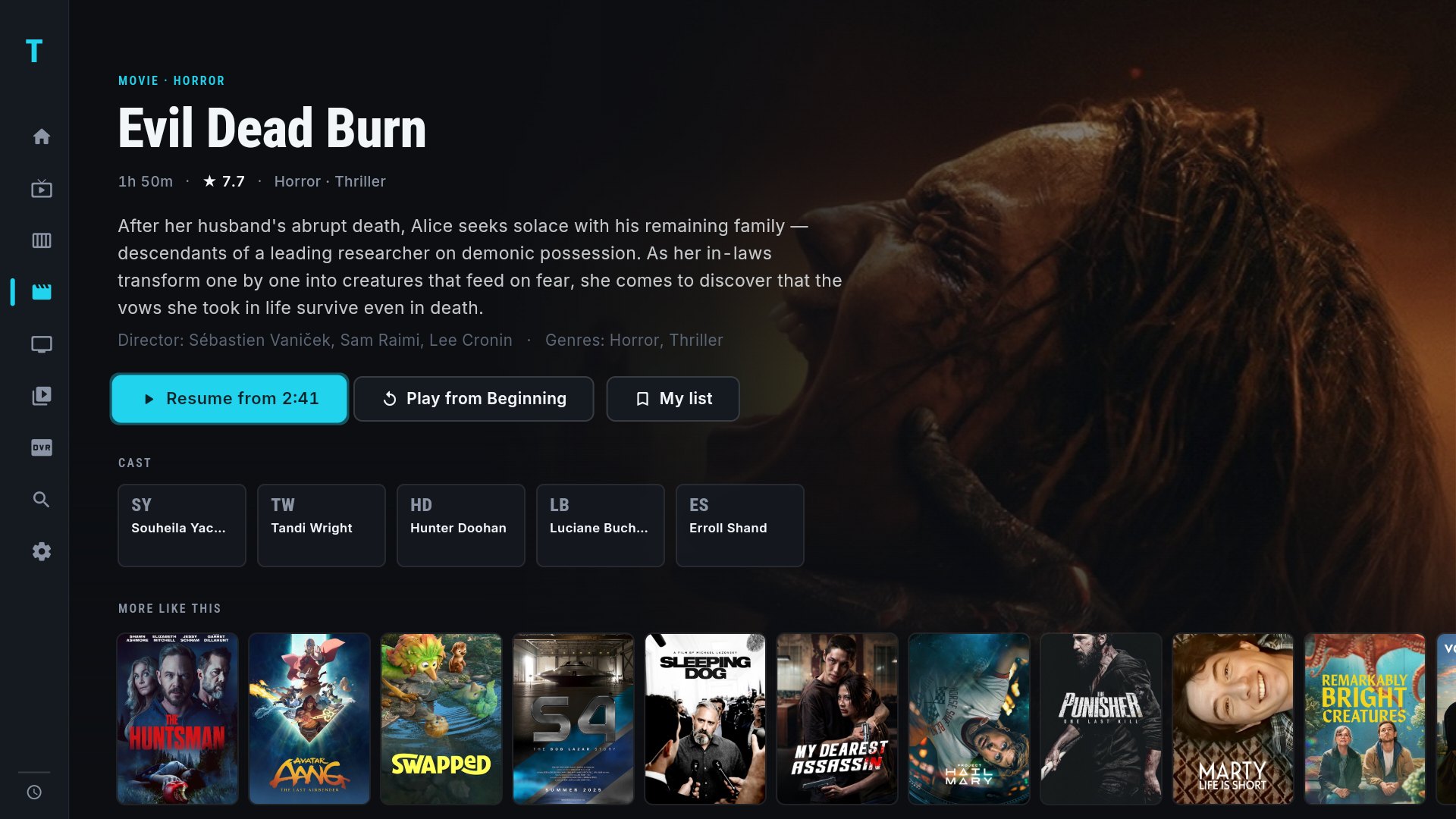
Movie detail page with full-bleed backdrop, cast, and more-like-this rail
Detail pages Backdrops, cast, and more-like-this
Library section showing Jellyfin continue-watching rows with posters
Library Jellyfin, Emby, or NAS — your own collection, full artwork
Home screen with Continue Watching, on-now favorites, and recent channels
Home Continue watching, on-now favorites, recent channels

Use the arrows or swipe for more screens · tap any screen to enlarge

📱
Industry First

Set up your TV from your phone

No more typing long URLs with a TV remote. Use the TIVRA mobile app or log in from any browser, add your providers, set up favorites, and organize your channels. You can even long-press anything on the phone to send the stream straight to your TV. Everything syncs to your Android TV instantly. No other IPTV player offers this.

Web Dashboard

Manage everything from your browser. Add providers, organize channels, set favorites, and control your devices — all synced to your TV in real time.

Coming soon

Next in the queue, straight from user requests. See the full roadmap and release history →

⏲

Your own channel numbers

Give channels the numbers you know from cable, kept across provider updates.

🔒

Guide refreshes while the box sleeps

The guide and playlists update overnight on their own, so the app opens ready instead of syncing in front of you.

🔢

Guide from the TIVRA server

A compact, pre-built guide for your lineups instead of a 30 MB download and a parse on the box; direct from your provider stays as the fallback.

📅

Start a live show from the beginning

On channels with catch-up, restart what is on right now instead of waiting for it to reach the Catch-up page.

Available platforms

Software License

License the TIVRA media player. Start with a 7-day free trial.

Personal

$9.99 /year
or $2.49/month
  • All features included
  • Web dashboard & cloud sync
  • EPG program guide
  • VOD & series browser
  • 1 device
Best Value

Lifetime

$29.99 one-time
pay once, yours forever
  • All features included
  • Web dashboard & cloud sync
  • All future updates
  • Up to 5 devices
  • Priority support
Buy Now →

All plans include a 7-day free trial. Cancel anytime.

You are purchasing a software application license only. No TV channels, live streams, or on-demand content are included. You must supply your own IPTV provider subscription.

Frequently Asked Questions

Does TIVRA include any TV channels or content?

No. TIVRA is a pure media player. It contains no content. You must supply your own M3U playlist URL or Xtream Codes credentials from a separately obtained IPTV subscription.

Is TIVRA an IPTV service?

No. We are a software application, not a service or content provider. TIVRA is comparable to TiviMate, IPTV Smarters Pro, or GSE Smart IPTV — all of which are media players that require you to bring your own content source.

What exactly am I paying for?

You are purchasing a license for the TIVRA media player software. This does not include any TV channels, live streams, or on-demand content. Content is not included, implied, or available from us.

What do I need to use TIVRA?

You need an active IPTV subscription from a third-party provider of your choice. Your provider will give you an M3U URL or Xtream Codes login, which you enter into TIVRA to load your channels.

Is using TIVRA legal?

TIVRA itself is legal software. The legality of the content you stream depends entirely on your IPTV provider and your local laws. We require users to only use TIVRA with content they are legally licensed to access.

A Media Player. Not a Streaming Service.

What TIVRA does

  • Provide a software media player application
  • Support M3U playlists and Xtream Codes API
  • Work with any licensed IPTV subscription you already have
  • Offer EPG (TV guide) support and multi-screen layouts

What TIVRA does NOT do

  • Sell or provide any TV channels or content
  • Operate or affiliate with any IPTV service
  • Have access to or control over what you stream
  • Bundle any streams, VOD, or live TV

TIVRA is a media player application — like VLC or Kodi, but purpose-built for IPTV. We do not sell, provide, or bundle any TV channels, live streams, or VOD content of any kind.

Send Feedback

Bug report, feature request, or general feedback — we read everything.